
ADAS Library Overview
The ADAS library provides a simplified means to develop applications that visualize sensor data.
Overview
The ADAS library is one of the main components of the Sensor Framework. It allows applications to use sensors, viewers, and algorithms through API functions and a configuration file, to visualize and also record sensor data.
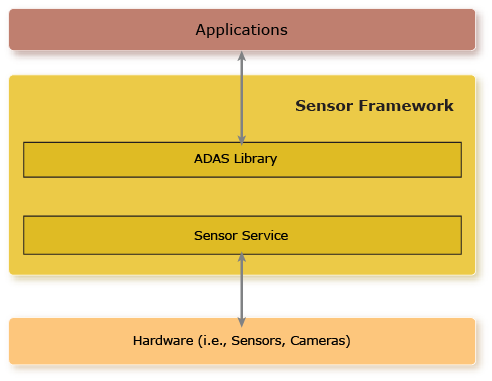
The ADAS library (API and configuration) provides the following functionality:
- Visualization of sensor data through either a camera viewer or a point cloud viewer
- Overlay of text, rectangles, or images over the visualized sensor data using an overlay viewer
- Application of algorithms on the sensor data and overlay track information on the viewers
- Synchronization of recording across all configured sensor inputs
For more information on the API, see the ADAS Library Reference chapter.
ADAS library configuration
The configuration file is a JSON-formatted text file that resides where it can be accessed by
the ADAS library on your target. In the configuration file, you specify how you want to
use the ADAS library. For more information, see Configuring the ADAS Library.
ADAS library usage
-
Call adas_initialize() to
initialize the ADAS library.
This API function initializes and starts the viewers and algorithms according to the given configuration file.
-
Perform any of the following actions as needed:
- Dynamically change the view and zoom factor that's applied to a viewer by calling adas_configure_viewer().
- Dynamically change the visibility of the configured viewers by calling adas_set_viewer_visibility().
- Start and stop a configured viewer sequence by calling adas_start_viewer_sequence() and adas_stop_viewer_sequence().
- Start and stop recording all configured inputs by calling adas_record_start() and adas_record_stop().
- Call adas_destroy() to clean up the ADAS library resources when the library is no longer needed.