
Requirements
To write programs that run under the QNX Neutrino RTOS, the first thing you need is the QNX Software Development Platform (SDP). This platform contains the tools needed to build programs, such as compilers and linkers, precompiled for all CPU architectures that QNX Neutrino supports. But instead of using these tools directly, it's more convenient to install and use the QNX Momentics IDE, which provides a graphical environment for developing and running programs. The IDE is part of the QNX Momentics Tool Suite, which is packaged separately from QNX SDP.
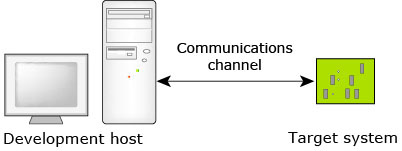
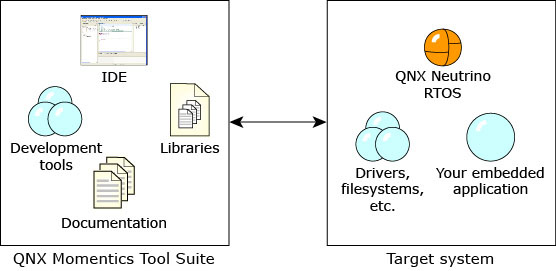
To install the QNX SDP, you need a license. You can download an evaluation license from www.qnx.com/products/evaluation/.
- Embedded hardware:
You can run QNX Neutrino on a physical hardware board, which you must obtain from a suitable vendor.
You'll need a QNX Board Support Package (BSP) for your board. Each BSP comes with a BSP User's Guide that explains how to
build a QNX Neutrino image and install it on the target board.
For more information on how to use a BSP, see the
Working with QNX BSPs
chapter of the Building Embedded Systems guide. - Generated virtual machine: The QNX Momentics IDE can generate QNX Neutrino virtual machines (VMs) that run in QEMU, VMware, or VirtualBox sessions. This way, you can configure certain settings for your VM target, such as the CPU architecture.
Since the QNX Neutrino RTOS is designed and used the same way for all platforms, for this guide we'll use Windows as a development host, and a generated virtual machine as the target.