vk-fsray
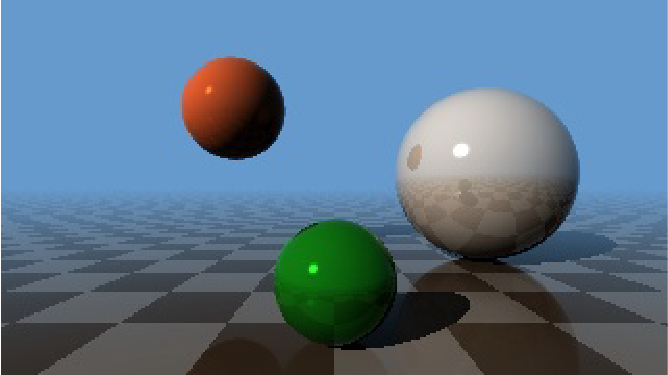
Display fragment shader based ray tracer rendered content using Vulkan
Syntax:
vk-fsray [options]
Runs on:
QNX Neutrino
Vulkan options:
- -gpu=gpu_index
-
Use gpu_index to specify the GPU to use. If this option is not set, the default is -1. auto-detect the fasted GPU (index is -1).
- -nbuffers=count
- Set the number of window buffers to be created for rendering. Use an integer from 2 to the maximum buffer limit of your driver. The default is 3.
- -present_mode= mode
-
Set the presentation mode. Chose from the following:
- 0 - VK_PRESENT_MODE_IMMEDIATE_KHR
- 1 - VK_PRESENT_MODE_MAILBOX_KHR
- 2 - VK_PRESENT_MODE_FIFO_KHR (default)
- 3 - VK_PRESENT_MODE_FIFO_RELAXED_KHR
If you set both this option and -interval, the last specified option is used.
- -validate
Enable any installed validation layers.
- -verbose
- Print information to display.
Screen options:
- -display=display_id
-
Show the events on the display as specified by display_id.
You can specify display_id as one of the following:
- an integer that identifies the display
-
a string that identifies the connection type to the display; acceptable strings are:
- internal
- composite
- svideo
- YPbPr
- rgb
- rgbhv
- dvi
- hdmi
- other
If you don't have any display subsections configured, or if you don't specify the display option, then vk-fsray uses the default display.
- -format=pixel_format
-
Set the window pixel format. Supported formats are:
- rgb565 - SCREEN_FORMAT_RGB565
- rgba5551 - SCREEN_FORMAT_RGBA5551
- rgbx5551 - SCREEN_FORMAT_RGBX5551
- rgba8888 - SCREEN_FORMAT_RGBA8888
- rgbx8888 - SCREEN_FORMAT_RGBX8888
- bgra8888 - SCREEN_FORMAT_BGRA8888
- bgrx8888 - SCREEN_FORMAT_BGRX8888
- rgba1010102 - SCREEN_FORMAT_RGBA1010102
- rgbx1010102 - SCREEN_FORMAT_RGBX1010102
- bgra1010102 - SCREEN_FORMAT_BGRA1010102
- bgrx1010102 - SCREEN_FORMAT_BGRX1010102
If you do not set this option, Screen uses the format of the window's framebuffer. If the framebuffer's format is not supported by Vulkan, vk-fsray will abort.
- -frame-limit=frame_limit
- Limit the number of frames rendered to the value specified by frame_limit (integer); after the frame limit is reached, vk-fsray exits. The default is an unlimited number of frames (-1).
- -interval=mode
-
Set the presentation mode. Chose from the following:
- 0 for VK_PRESENT_MODE_IMMEDIATE_KHR
- 1 for VK_PRESENT_MODE_FIFO_KHR
If you do not set this option, Screen uses the value or default of -present_mode.
If you set this option and -present_mode, the last specified option is used.
- -pipeline=pipeline_id
-
Set the pipeline as specified by pipeline_id (integer).
If you don't specify this option, vk-fsray uses the pipeline of the framebuffer.
If you use this option, Screen applies the SCREEN_USAGE_OVERLAY usage flag and uses the pipeline specified by pipeline_id.
- -pos=x,y
- Sets the x,y coordinates of the viewport. The default coordinate of 0,0 is used if this option isn't specified.
- -size=widthxheight
- Set the size as specified, using integer values for width and height in pixels, of the viewport. The default size is fullscreen.
- -zorder=zorder
- Set the z-order specified by zorder, as an integer, of the window. A z-order of 0 is used if this option isn't specified.
Description:
The vk-fsray binary is a command-line tool that can be used to confirm that screen is running, and that all necessary drivers for Vulkan are in place, and can start successfully.
To control vk-fsray, use the following keys:
- ESC - Quit the demo
- F - Pause/resume the demo
Examples:
# vk-fsray